An easier way to remember unbreakable passwords

Do you have trouble remembering all your log in details for websites and applications? Writing them on a piece of paper is not the best idea, but what about storing them in a program which is also portable on your USB pen-drive?

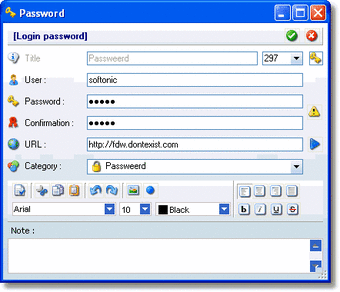
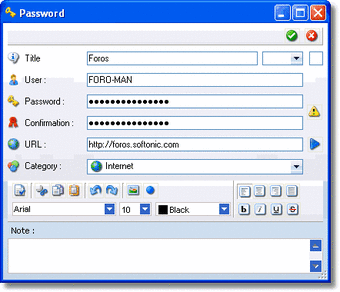
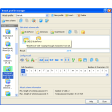
Learning to use Passweerd is very easy, thanks to its simple interface. All the program requires is that you select a username, usually ‘first name dot surname’, and one unique password.

This is the only log in information you will have to remember from now on.

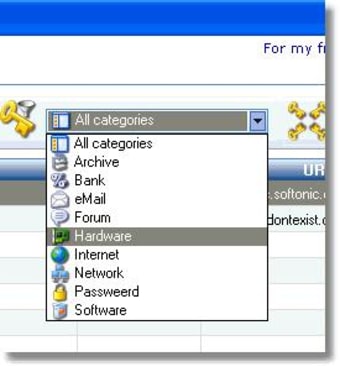
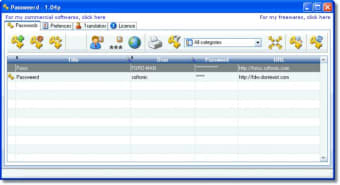
After you have entered some of your user names and passwords for different services, you can easily retrieve these and copy them to the clipboard with one click.

That said, it would have been better if Passweerd could fill forms automatically for you.

Passweerd is portable, meaning you can put it on your USB pen-drive, so you can have all your passwords and usernames with you wherever you go.

You can also export all your data from the program in excel, word or xml format if needed.

If you have dozens of difficult passwords to remember, this application will be very useful.


  • Pros

    • All your log-in data, wherever you go
    • It’s portable via USB pen-drive
  • Cons

    • It should fill in the log-in forms automatically
 0/4

App specs

  • License

    Free

  • Version

    1.09b

  • Latest update

  • Platform

    Windows

  • OS

    Windows XP

  • Language

    English

  • Downloads

    9.7K

  • Size

    13.70 MB

  • Developer

Program available in other languages


User reviews about Passweerd

Have you tried Passweerd? Be the first to leave your opinion!

Add review

You may also like

Alternatives to Passweerd

Explore Apps

Latest articles

Laws concerning the use of this software vary from country to country. We do not encourage or condone the use of this program if it is in violation of these laws.
Softonic

Is Passweerd safe?

98/100

Score result: Clean

This file passed a comprehensive security scan using VirusTotal technology. It is safe to download.

  • Virus free
  • Spyware free
  • Malware free
  • Verified by Security Partners

    VirusTotal logo

Scan Info

Last scan
Sunday, December 17, 2023
Scan provider
VirusTotal · Full report

File Integrity

File
PassweerdSetup109b.EXE
SHA256
77c519cafa53e07b8a42efb24825f4db86433af89c2ee501322a45acb7de5721
SHA1
6b75980adc3aceac2a73a3affb38d7ec0a7970d7

Softonic security commitment

Passweerd has been thoroughly scanned by our advanced security systems and verified by industry-leading partners. This file comes from the official developer and has passed all our security checks, showing no signs of viruses, malware, or spyware. For more information, visit our Security and Trust Center